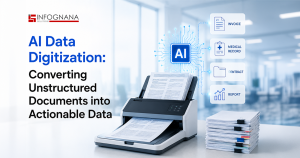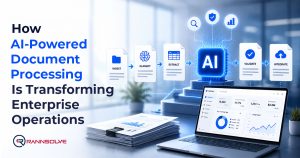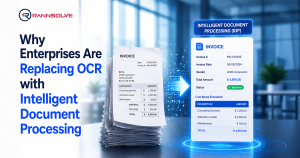

Optical Character Recognition (OCR) has earned its place in modern Intelligent Document Processing (IDP). It made life easier for anyone drowning in paperwork by converting images and scanned pages into text you can work with. But as businesses started dealing with larger volumes of documents and more complex formats, it became clear that turning text into digital characters was only the first step. The real question became how to understand that text and extract the information that actually matters. Today, OCR is a small part of bigger Intelligent Document Processing solution tools (like the Cognitive Data Extractor) that are used for automated document processing and to do more advanced tasks. We will take a look at both in detail in this blog
What Is OCR?
Optical character recognition, or text recognition, converts images containing written text into machine-readable data. It works by first improving the image and adjusting the contrast between the text and the background, which makes the text easier to identify. The system then analyzes the characters, assembling them into words and sentences while using pattern recognition or feature detection to interpret what each character represents. Once the text is recognized, it goes through checks to filter out errors, correct mistakes, and ensure the extracted content matches its intended meaning. OCR allows documents to be digitized without any manual typing and is widely used for improving business workflows, editing electronic documents, creating compact data storage, and supporting more advanced applications such as cognitive computing, machine translation, and text-to-speech tools.
What Does OCR Do?
OCR is best used when converting printed documents into machine-readable text. In data-heavy environments, OCR plays another important role. It converts paper and scanned image files into searchable, editable, machine-readable PDFs. Without applying OCR first, you simply cannot automate data extraction from documents that lack text layers. OCR makes it possible for big-data systems to read client information inside contracts, bank statements, and other printed documents that previously lived outside digital analysis.
What Is Cognitive Data Extraction?
Cognitive Data Extraction, on the other hand, takes the next step that OCR cannot. A cognitive extractor acts like a smart net that knows exactly what to extract from an ocean of data and what to leave out.
Automated data extraction uses machine learning, artificial intelligence, and an Intelligent Document Processing solution to identify, capture, and convert important information from different sources (such as legacy systems and archives) into structured formats. It works across unstructured documents, semi-structured forms, and data spread across multiple systems and used for automated document processing. Instead of giving you a plain text output, it gives you the actionable data that you can use for making business decisions. Cognitive data extraction removes the need for manual data entry and reduces the risk of errors made by humans.
Rannsolve’s Cognitive Data Extractor (RannsCDE), a powerful AI tool used to transform unstructured data into actionable insights, tags and maps the documents with Metadata for easy search.
Benefits of Cognitive Data Extraction
Implementing automated data extraction comes with several advantages that directly shape operational accuracy and efficiency. To name a few:
- Accuracy Improvement
Manual data entry is prone to errors. A mistyped number or a field entered in the wrong place can cause issues in the long run, including inaccurate financial reporting and flawed decisions. Automated document processing improves accuracy through clear extraction rules, validation checks that identify problems early on, pattern recognition that reinforces quality, and standardized formatting across all outputs.
RannsCDE helps organizations achieve a whopping>99% data extraction accuracy. It comes with human-in-the-loop quality checks for greater accuracy.
- Speed and Efficiency
The time gap between manual and automated document processing is huge. Tasks that once took days or weeks can now be finished in minutes (even seconds). RannsCDE is capable of processing over 1 million documents per day. Faster processing does more than save time; it changes how quickly your organization can review information, analyze it, and act on it.
- Cost Savings
Automation lowers labor costs tied to manual entry. It also reduces expenses related to correcting errors, document handling, and avoids losses caused by delayed access to information. Companies using RannsCDE as their key intelligent document processing solution see an impressive 60% Cost Reduction.
- Compliance and Audit Readiness
Automated document processing produces consistent, trackable records that make compliance easier. It ensures standardized data capture that meets regulatory expectations. It creates digital audit trails that show when and how information was processed through Intelligent Document Processing. For regulated sectors like finance, healthcare, and insurance, this is non-negotiable. Solid data security measures also protect sensitive information across document types. RannsCDE takes data security very seriously and follows strict compliance standards with encryption, role-based access, and audit trails.
- Real-Time Insights
The ability to analyze information as and when it comes in is one of the biggest benefits. Automated document processing using with RannsCDE delivers immediate access to key metrics and trend signals. Companies can respond faster and integrate the tool into their existing workflow, giving leaders a clear view of what is happening right now.
Traditional OCR vs Cognitive Data Extraction
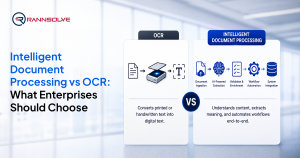
OCR is excellent at one job: converting printed or scanned text into machine-readable characters. If your goal is simply to edit a scanned document or make a contract searchable, OCR is all you need. Remember, it does not interpret meaning, classify content, or extract the specific fields required for business operations. It treats all text the same.
Cognitive Data Extraction goes further. It understands the structure and purpose of a document. It identifies what type of information appears in each section. It extracts only the required information and presents it as actionable insights. It works across unstructured layouts, handwritten notes, variable formats, and large document sets. Where OCR stops at recognition, cognitive extraction delivers interpretation, classification, accuracy checks, and contextual understanding. That difference is what allows organizations to automate processes end-to-end rather than just digitize text.
Try RannsCDE for Yourself Today - Schedule a Quick 15-minute Demo!
The AI-powered RannsCDE, a powerful Cognitive Data Extractor, makes sure all your documents are enriched and structured with Metadata and Meta tags. It extracts information using Intelligent Document Processing from your existing systems, even when it’s buried in PDFs or long-form documents. It integrates seamlessly with your systems without disrupting your existing process. Book a quick 15-minute demo to see RannsCDE in action.
FAQs
Traditional Optical Character Recognition (OCR) converts text from images into machine-readable characters. Cognitive data extraction, on the other hand, goes further by understanding and organizing the data into actionable insights using intelligent document processing (IDP).
Cognitive extraction uses AI, pattern recognition, and validation checks to reduce errors. This ensures more accurate data compared to Optical Character Recognition (OCR), which only recognizes text.
Yes, it works on unstructured forms, handwritten notes, and variable layouts, among others. The AI-powered RannsCDE transforms unstructured data, even from legacy systems or archives, into actionable insights.
Businesses should choose cognitive data extraction when they need actionable data to act upon, not just text. It’s also best when handling large volumes, complex layouts, unstructured documents, or when speed and accuracy are important for decision-making.